Edited by Javier Galan · 30 September 2026
Apple's latest iPhone update is iOS 27. For app marketers, the most useful news is not a single new channel. It is a change in how people may find an app, judge it in the App Store and use it after installation. Apple is adding richer App Store creative, more personalised discovery and a Siri that can work with content and actions in participating apps. Each creates an opportunity, but none guarantees more installs or a place in an AI answer.
Here is what Apple has announced, followed by our view of what brands should test.
Three changes worth a marketer's attention
1. The App Store has more room to tell a story. Apple's new Creative Assets are images and videos that can appear in product page headers, search results and Apple Ads placements. They complement screenshots and app previews, and can also be used with custom product pages and product page optimisation. A new Asset Library and product page preview tool should make it easier to manage and check creative. Apple describes these tools as rolling out during autumn 2026, so teams should check availability in their own App Store Connect accounts before building launch dates around them. Apple's App Store announcement · Apple Developer guide
2. Discovery may become more personal. Apple's Personalised Collections and App Notes recommend apps and explain why they may be relevant. They are available in selected markets and to a limited number of apps, with a wider rollout planned. Marketers should treat this as a reason to make an app's value and category fit unmistakable, not as a new placement they can simply buy. Apple's App Store announcement
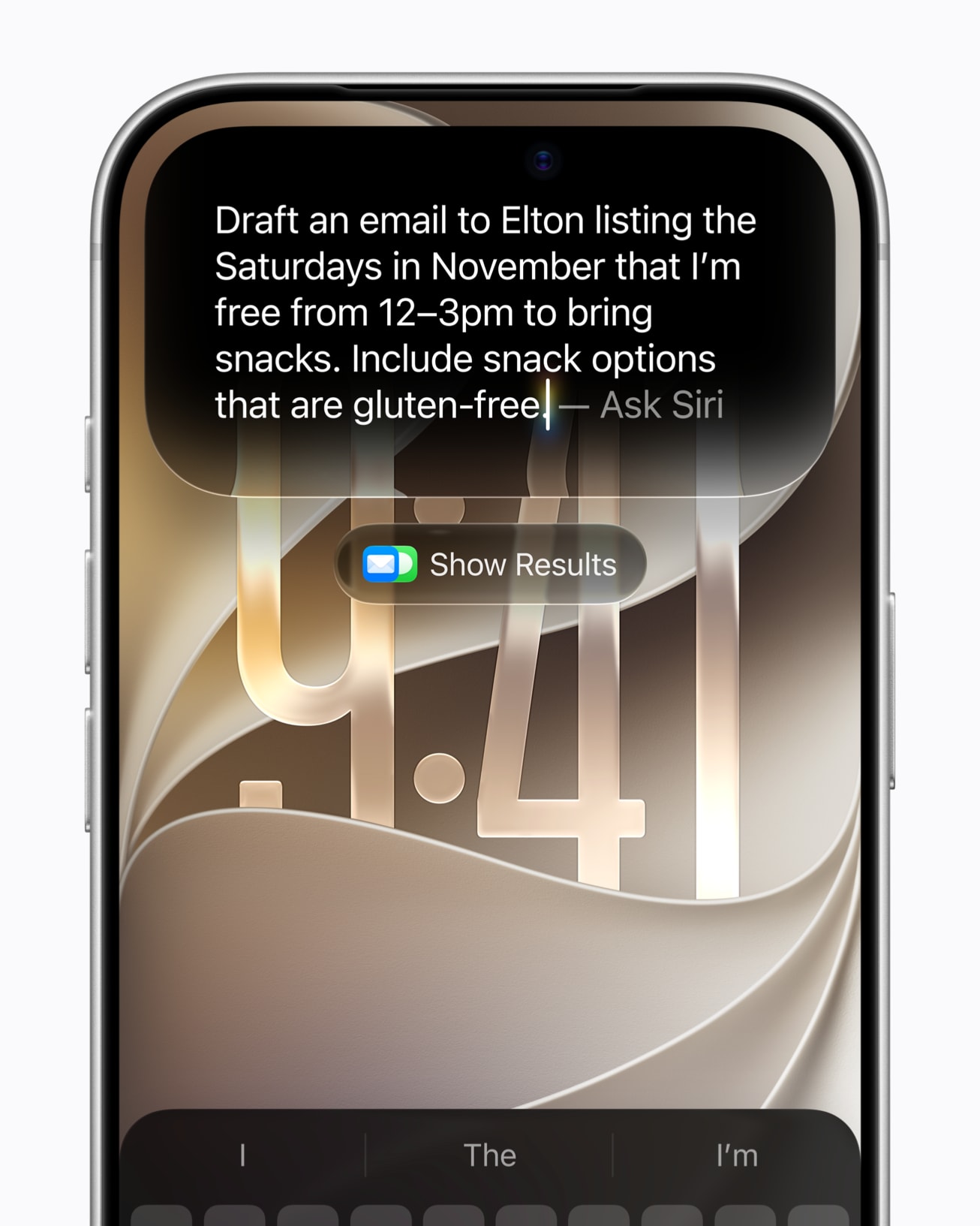
3. Siri can do more with apps that support it. Siri AI can use personal context, understand what is on screen and perform more actions across apps. Developers can expose relevant content and actions through App Intents and App Schemas. That makes the useful task inside an app more important to its growth story: “find my booking” or “add this to my list” is a clearer promise than “powered by AI”. Siri AI began rolling out in English as a beta with iOS 27. Availability varies by device, language and region; Apple says it is not initially available on iPhone in the EU and that the new Apple Intelligence features are unavailable in China. Apple's iOS 27 update · Apple's App Intents overview
What this means by category
Retail and ecommerce. A richer product page could lead with the reason to keep a retailer's app: faster repeat orders, a useful loyalty benefit or access to a relevant range. Seasonal creative is easier to plan when assets can be reviewed apart from an app update. Apple's Safari “Notify Me” feature can also alert people to page changes such as restocks and price drops. That may raise expectations for timely, accurate stock information across the website and app. The commercial measure remains first orders and repeat value, not just installs. Apple's iOS 27 update
Travel and hospitality. People want to find a booking, change a plan or retrieve a confirmation quickly. Brands with an app should identify those high-value actions and ask their product teams which could be made available through App Intents. On the store listing, show the actual journey from planning to travel rather than a generic destination image. Measure completed bookings and useful repeat engagement alongside acquisition cost.
Finance and other trust-sensitive services. Richer creative gives these brands more space to explain what a service does, but claims still need to be precise and approved. Siri's contextual actions may make simple account tasks easier for eligible users, provided the app exposes them appropriately and the product team maintains clear authentication and confirmation steps. An attractive store page cannot compensate for a confusing or untrusted first-use experience.
Health and wellness. A product page can show the specific habit, programme or service a user receives. For apps that support families or younger audiences, Apple's new Screen Time allowances and schedules matter too: parents can manage time across app categories, and developers have updated categorisation questions to answer. Teams should review their classification and explain benefits without implying medical outcomes they cannot substantiate. Apple's App Store announcement
Games and entertainment. New visuals offer room to show a game's world, current content or a genuinely relevant event before someone taps through. Apple's personalised collections could create another discovery route for some apps, while its family controls may affect when younger users can engage. Test creative against qualified players and retention, not only a lift in store conversion.
A practical plan for the next quarter
Start with the customer journey, not the feature list. Choose one audience and one valuable action for each priority market. Review the first screen people see in the App Store, the promise made by the ad or search result, and what the app delivers after installation. Then:
- Audit current screenshots, previews and custom product pages. Prepare a small set of Creative Assets around distinct customer needs, and check their placement and approval status in App Store Connect.
- Ask the product team which useful app actions and content could be surfaced through App Intents. Test real user requests on supported devices before making Siri part of a campaign claim.
- Separate results by market, device support and customer cohort. The same iOS 27 headline does not describe the same available experience everywhere.
- Judge each test by downstream value: an order, booking, retained subscriber or active player. Store conversion is useful, but it is only the beginning of the story.
Our view is that iOS 27 rewards clarity. Brands that can show a relevant promise in the store and fulfil it quickly in the app have more to gain than brands that simply add more creative. The opportunity is real; the advantage will come from testing the whole journey.